How many steps on a walking pad?
The machine knows your distance to the inch and your step count not at all. Here is the arithmetic it can do, the arithmetic it is guessing at, and how to measure the missing number yourself.
By Stephen V. · Last updated
A walking pad does not count steps. It measures belt speed and elapsed time, which gives distance exactly: 30 minutes at 2 mph is 1.0 mile, at 3 mph 1.5 miles, at 4 mph 2.0 miles. Any step figure on the display or in the app is that distance divided by an assumed stride length— a number about you that no machine on this site measures. Use the distance, and measure your own stride on the belt if you want steps.
How this page is funded: the buy links here are Amazon affiliate links, and we earn a commission if you buy through one — at no extra cost to you. It does not change what we rank first, because the commission rate is the same across every machine on this page. Full disclosure.
What the machine actually measures
A walking pad is a motor turning a belt at a commanded speed, and a clock. That is the sensor set. From those two things it can compute one quantity without any assumption at all:
belt speed × elapsed time = distance.
Nothing in that sum is about you. It is why distance is the most trustworthy number any of these machines reports, and it is why we are going to spend most of this page on distance rather than on steps.
A step count is a different kind of number. To get steps from distance you have to divide by a stride length, and no pad we track has any sensor capable of detecting your feet landing — no pressure plate under the deck reporting footfalls, no accelerometer in your shoe. So where a step figure appears, it is an inference: distance divided by a stride length that somebody chose when they wrote the firmware or the app. It describes an assumed walker rather than you.
This is the same distinction we draw about calories, and for the same reason. What the on-board numbers can and cannot know.
The distance table, from published speeds
Every figure in the first column below is a maker’s own published speed. Everything after it is arithmetic you can check: distance = speed × time.
| Belt speed | 30 minutes | 60 minutes | Published by |
|---|---|---|---|
| 0.5 mph | 0.25 mi | 0.5 mi | A1 Pro minimum - the lowest floor in the category |
| 1.0 mph | 0.5 mi | 1.0 mi | C2 and Z1 minimum |
| 2.0 mph | 1.0 mi | 2.0 mi | Within range of all eight pads |
| 3.0 mph | 1.5 mi | 3.0 mi | PacerMini maximum; mid-range for the rest |
| 3.75 mph | 1.88 mi | 3.75 mi | P1 and A1 Pro maximum |
| 4.0 mph | 2.0 mi | 4.0 mi | Z1 and C2 maximum |
| 6.2 mph | 3.1 mi | 6.2 mi | UREVO Strol 2E maximum - the only figure above 4 |
Two things worth noticing in that table. The first is how much of it sits below two miles: desk walking is a slow business, and the honest ceiling at a keyboard is your hands rather than your legs. The second is the bottom row. 6.2 mph is the only published speed in this category with real distance behind it, and it is unusable at a desk — which is why it earns its machine a place on the ranking for walking with no desk in front of you and nowhere else.
Why we will not print a steps-per-mile figure
Every other page answering this query publishes a constant — usually around 2,000 steps per mile — and presents it as though it were a property of walking. It is not. It is a property of the person walking, and on a walking pad it is a property of a person walking slowly at a desk, which makes the usual figure worse rather than better.
The mechanism is simple enough to state without a study: steps per mile is one mile divided by your stride length. A longer stride covers the mile in fewer steps. And stride length shortens as speed drops — at 1 mph, typing, you are taking small deliberate steps, not walking-to-the-shop steps. So the same mile on the same machine costs you more steps at desk pace than it would outdoors.
This site’s position on converted figures is consistent and we are applying it here: our incline roundup refuses to convert degrees into percent because a conversion we performed would be our number rather than the maker’s. A steps-per-mile constant is the same problem with your body in place of the machine. We would rather give you the distance, which is exact, and a way to measure the missing number, which is yours.
Measuring your own stride on the belt
There is a convenient ruler already in the room, and its length is published by the maker: the belt. Published walking surfaces among the pads we track are 47.6 inches (Z1), 47.2 (C2), 47 (P1 and A1 Pro), 45.7 (Sunny TreadPad), 40.2 (Strol 2E) and 27.6 (Lifepro PacerMini).
So: set the machine to the speed you actually use, walk normally, and count how many steps you take between the back of the belt and the front. Say the Z1’s 47.6 inches takes you three steps — that is roughly 15.9 inches per step, which is about 3,990 steps per mile. Four steps across the same belt is about 11.9 inches per step and roughly 5,300 steps per mile. Notice how far both are from the 2,000 the internet will tell you.
Do it twice, at your slow desk speed and at your fastest comfortable speed, and you will have the two numbers that bracket your real day. Then use the machine’s distance figure and your own divisor, rather than a step count computed from somebody else’s legs.
A tape measure makes this easier, and it is the one accessory we recommend before any machine arrives at all. Which published dimension is which.
A 10,000 step day, against the published limit
Here is where the arithmetic collides with a specification, and it is worth doing before you buy rather than after.
Take a measured stride that puts 10,000 steps at four to five miles. At 2 mph — a realistic desk pace for most people — that is two to two and a half hours of belt time. Now set that against the only continuous-use figure published by any maker on this site: KingSmith states one hour at a time, then about half an hour off.
So a 10,000 step day on a pad is three or four walking blocks spread across the day, not a single session — and seven of the eight pads we track publish no duty cycle at all, which means for those machines there is no stated limit to plan around in either direction. Which pads are built for the longest total day and how long to walk, with the public activity guidance.
Why your watch disagrees with the display
Two devices, two different measurements, and neither is lying.
The pad measures the belt. Speed multiplied by time is the distance the belt moved under you, and on a treadmill that is a good proxy for the distance you walked.
A wrist device measures your arm. It detects the rhythm of arm swing or wrist acceleration and converts that to steps and then to distance using its own stride model. At a desk your arms are frequently not swinging at all — they are on a keyboard or holding a mouse — which is the single most common reason a wrist step count under-reads badly during desk walking.
The practical consequence: if your step target lives on your watch, desk walking will under-credit you, and the fix is to trust the pad’s distance rather than to walk further. What the app measures and what it infers.
The pads built for accumulating distance
If the goal is distance rather than a number on a screen, two published figures matter: belt length, because a short deck makes you manage your stride instead of forgetting about it, and the speed range, because the floor decides what you can sustain while working and the ceiling decides what is possible when you are not.
| Model | Top speed | Belt (L x W) | Max user | Unit weight |
|---|---|---|---|---|
| WalkingPad Z1 | 4 mphmanufacturer spec | 47.6" L x 15.7" Wmanufacturer spec | 242 lbmanufacturer spec | 51 lbmanufacturer spec |
| WalkingPad C2 | 4 mphmanufacturer spec | 47.2" L x 15.7" Wmanufacturer spec | 220 lbmanufacturer spec | 55 lbmanufacturer spec |
| WalkingPad P1 | 3.75 mphmanufacturer spec | 47" L x 16.5" Wmanufacturer spec | 220 lbmanufacturer spec | 62 lbmanufacturer spec |
| WalkingPad A1 Pro | 3.75 mphmanufacturer spec | 47" L x 16.5" Wmanufacturer spec | 230 lbmanufacturer spec | 63 lbmanufacturer spec |
| UREVO Strol 2E | 6.2 mphmanufacturer spec | 40.2" L x 15" Wmanufacturer spec | 265 lbmanufacturer spec | 47.2 lbmanufacturer spec |
| Lifepro PacerMini | 3 mphretail listing | 27.6" L x 15.7" Wretail listing | 220 lbretail listing | 40 lbretail listing |
| Sunny Health & Fitness TreadPad Sleek Stride (SF-T722069) | 3.7 mphmanufacturer spec | 45.7" L x 16" Wmanufacturer spec | 265 lbmanufacturer spec | 69.5 lbmanufacturer spec |
| DeerRun Under-Desk Walking Pad | 3.8 mphretail listing | Not publishednot published | 300 lbretail listing | Not publishednot published |
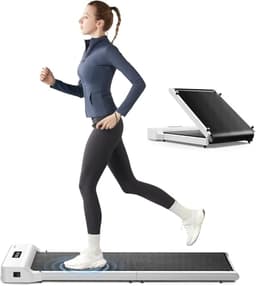
WalkingPad Z1
Smallest storage footprint
The only pad here that folds in half AND stays under 5.5 inches folded, which is the combination a small apartment actually needs.
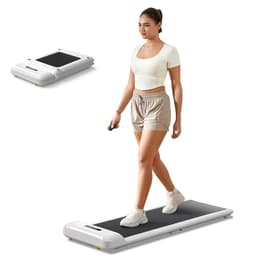
WalkingPad C2
Narrowest closet fit
The narrowest pad we list at 20.4 inches wide, which is the one that fits a genuinely tight closet — you pay for it in belt width.
Price as of October 10, 2026. #ad How we’re funded
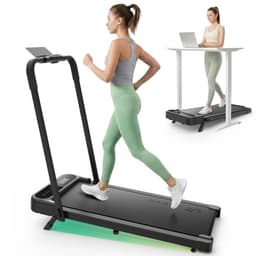
UREVO Strol 2E
Lightest with a handle
The lightest machine here that still has a safety handle, and the only one that goes fast enough to jog on.
WalkingPad Z1— the longest published belt on this site at 47.6 inches, with a 1 to 4 mph published range and 242 lb of capacity. The belt is narrow at 15.7 inches and KingSmith publishes no decibel figure for it.
WalkingPad C2— the same 4.0 mph ceiling and 1 mph floor in the narrowest machine here at 20.4 inches wide, which is the one that fits a desk with something already under it. 220 lb capacity is the joint-lowest, and it is taller folded (5.4 in) than in use (4.9 in).
UREVO Strol 2E— 6.2 mph, the only published speed in the category above 4.0, plus the only handle. Its 40.2 inch belt is the shortest full-size deck here, which is the honest tension: the machine with the most distance available has the least deck to cover it on.
What we have not done
We have not walked on any of these machines, counted steps on one, or compared a display against a reference. The speed and belt figures are each maker’s own from the pages named below. The distance table is arithmetic on those published speeds and nothing else. We have deliberately published no steps-per-mile constant, no calorie figure and no claim about what any step total does for you — the stride examples in section four are worked illustrations of a method, not measurements of a person. The full method.
Questions people actually ask
How many steps is 30 minutes on a walking pad?
The honest answer is that nobody can tell you in steps, but anybody can tell you in distance, and the distance is exact. At 2 mph, 30 minutes is 1.0 mile. At 2.5 mph it is 1.25 miles, at 3 mph 1.5 miles, and at 4 mph - the top of the Z1 and C2 - it is 2.0 miles. Converting that into steps requires your stride length, which no walking pad on this site measures and we are not going to guess for you.
Does a walking pad count steps?
Not directly. A pad knows two things: how fast the belt is turning and for how long. Multiply them and you have distance, which is why distance is the figure these machines report most reliably. A step count, where one is shown, is that distance divided by an assumed stride length chosen by whoever wrote the firmware or the app - not a count of your feet landing. That is also why the step figure on the machine and the one on your phone rarely agree.
How many steps in a mile on a walking pad?
More than outdoors, for most people, and that is the part generic step-conversion tables get wrong. At desk pace your stride is shorter than your natural walking stride, and a shorter stride means more steps to cover the same mile. We will not publish a constant, because a steps-per-mile figure is a measurement of you rather than of the machine. Measure it instead: the belt length is published, so count the steps it takes you to cross it at your usual desk speed and divide.
How long does 10,000 steps take on a walking pad?
Work it in miles rather than steps, because miles are the part the machine actually knows. If your own measured stride puts 10,000 steps at roughly four to five miles, then at a desk-realistic 2 mph that is two to two and a half hours of belt time - and the only published continuous-use limit in this category is KingSmith's one hour at a time followed by about half an hour off. So a 10,000 step day on a pad is three or four blocks of walking, not one session.
Why does my walking pad distance not match my watch?
Because they are measuring different things. The pad measures the belt: speed multiplied by time, which is the distance the belt travelled under you. A wrist device counts arm swings or detects foot strikes and converts those into distance using its own stride model. On a pad at a desk your arms are often on a keyboard rather than swinging, which is the single biggest reason wrist step counts under-read during desk walking.
Which walking pad is best for accumulating distance?
The one with a belt long enough that you are not managing your stride, and a published speed range with somewhere to go. The WalkingPad Z1's 47.6 inch belt is the longest published walking surface on this site; the C2 publishes the same 4.0 mph ceiling with a 1 mph floor; the UREVO Strol 2E publishes 6.2 mph, the only figure in the category above 4, which is only usable away from a keyboard.
Read next
- Do under-desk machines count as steps? — the same question for the seated machines, where a pedal stroke is not a step.
- Are walking pad calorie counts accurate? — the other number on the display, and what it is actually computing.
- What speed should you set a walking pad to? — where the distance in the table above actually comes from in practice.
- How long should you walk on a walking pad? — the duration half of the same arithmetic, with the published machine limit.
- Best walking pads for tall walkers — belt length against stride - the measurement section four asks you to make.
- Walking pad apps, and what they know — why the phone, the watch and the deck all report different numbers.
Sources
- WalkingPad Z1 - walkingpad.com product spec table: published top speed, belt length and width, capacity and unit weight (read 2026-07-24)
- WalkingPad C2 - walkingpad.com product spec table: published top speed, belt length and width, capacity and unit weight (read 2026-07-24)
- UREVO Strol 2E - urevo.com product spec table: published top speed, belt length and width, capacity and unit weight (read 2026-07-24)
- WalkingPad A1 Pro - product page: the published 0.5 to 3.75 mph range used for the lowest row of the distance table (read 2026-09-01)
- WalkingPad C2 - product page: the published 1 to 4 mph range (read 2026-09-01)
- KingSmith / WalkingPad - brand FAQ: the one-hour continuous-use limit with an approximately half-hour cool-down, used to check the 10,000 step arithmetic (read 2026-10-11)